Safety comes first
Expired memberships, lapsed licenses, suspensions and unsigned range rules are stopped at the door, with an alert on every screen and an incident log behind it.

RangeAssistant is built around how a shooting range actually runs. It checks members in by barcode, checks firearms licenses, shows staff which lanyard to hand out, sells target tickets and logs incidents — on your own PC, with or without internet.
Built alongside a 700-member gun club, for ranges across Canada and the US.
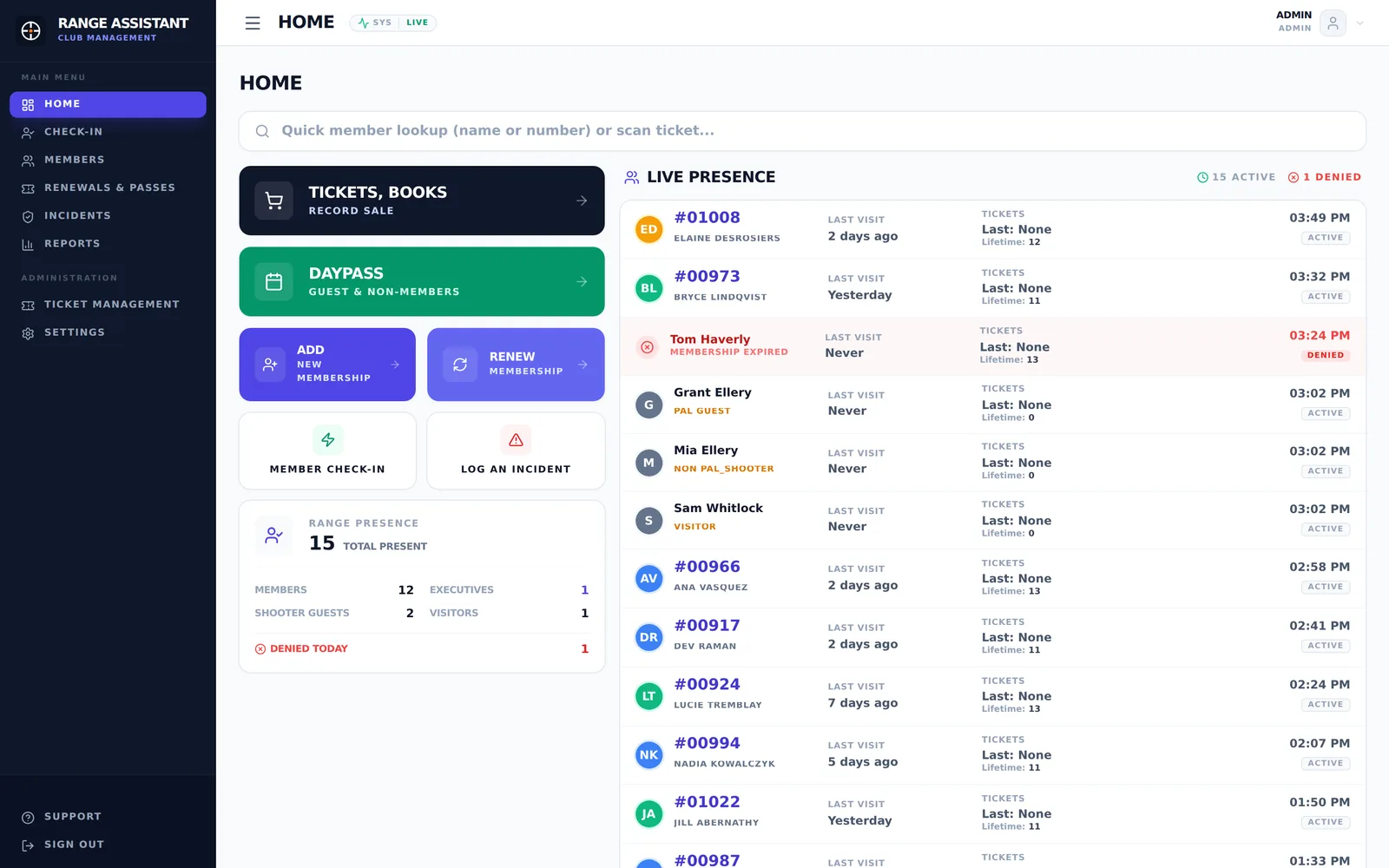
Made for ranges
Gym and membership apps track who has paid. A shooting range also has to know who is licensed, who is cleared to shoot, and who brought which guest. RangeAssistant was built at a working range, around exactly those questions.
Expired memberships, lapsed licenses, suspensions and unsigned range rules are stopped at the door, with an alert on every screen and an incident log behind it.
Licensed shooters, unlicensed shooters and spectators each get their own check-in, lanyard and host member, the way range rules treat them.
Barcode scans, a self-serve kiosk and large, clear screens keep the line moving, even when volunteers change every shift.
Features
Designed with range officers and volunteers at the counter, around how a shooting club actually runs on a busy Saturday.
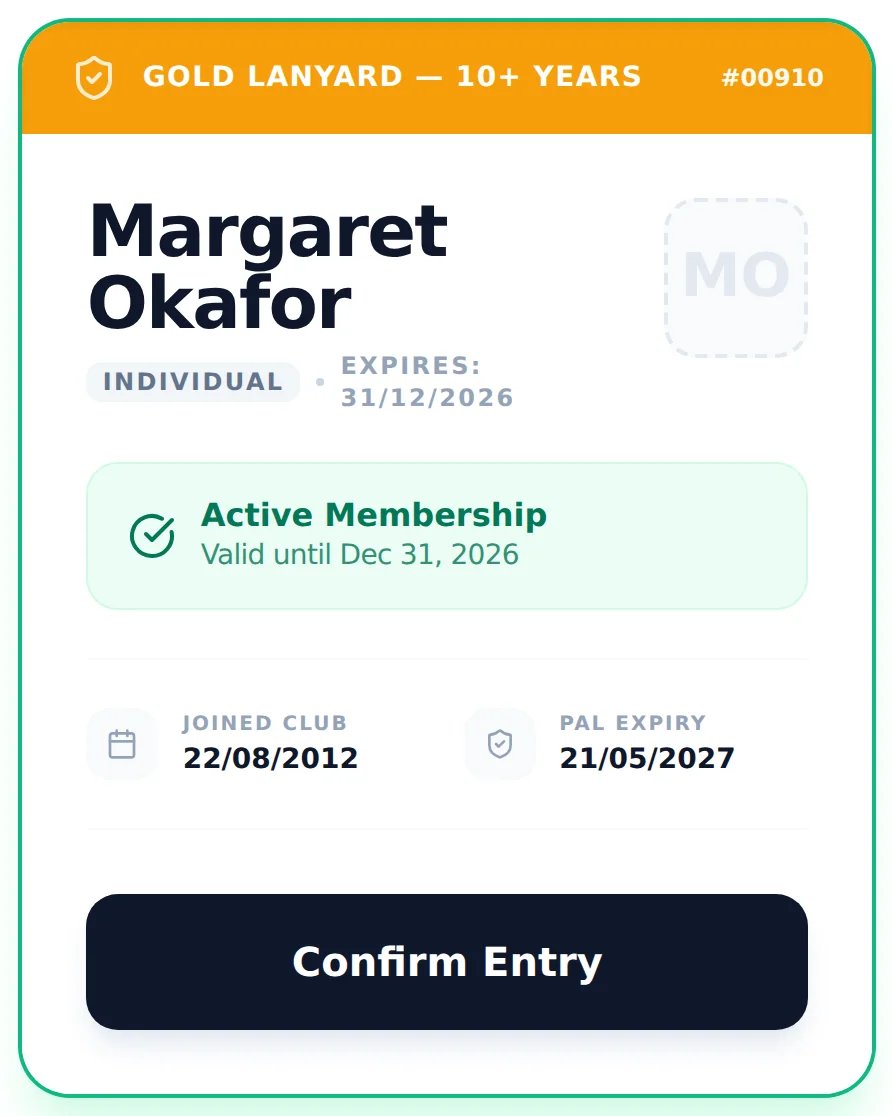
Scan a membership card or type a name. Status, expiration date and photo appear the moment the card is read.
Staff see the lanyard color for every member and guest, worked out from years of membership, executive status and guest type.
A full-screen station at the gate where members scan themselves in. Point it at rangeassistant.local — no IP addresses to remember.
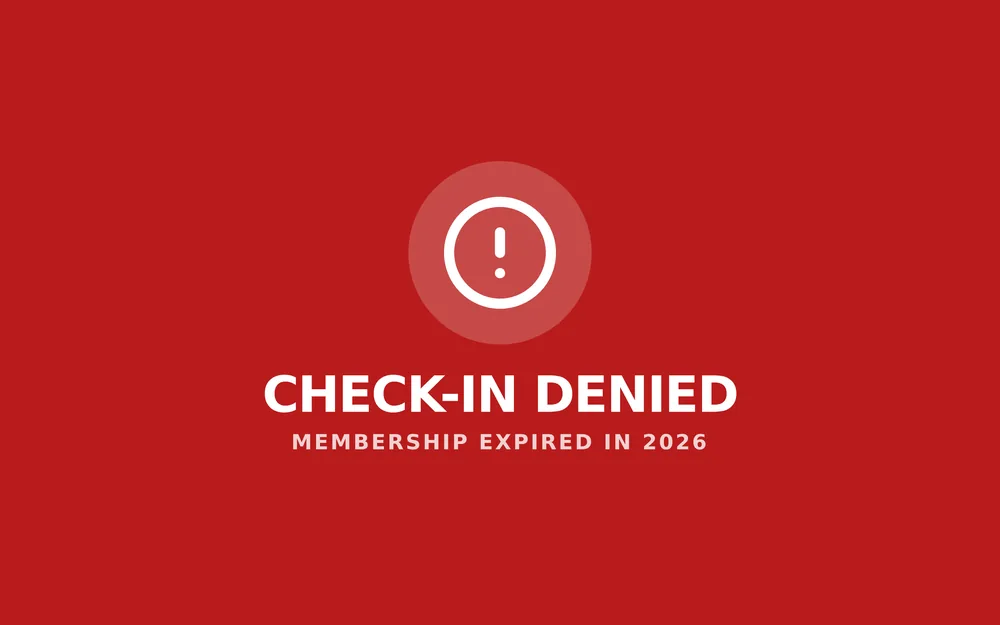
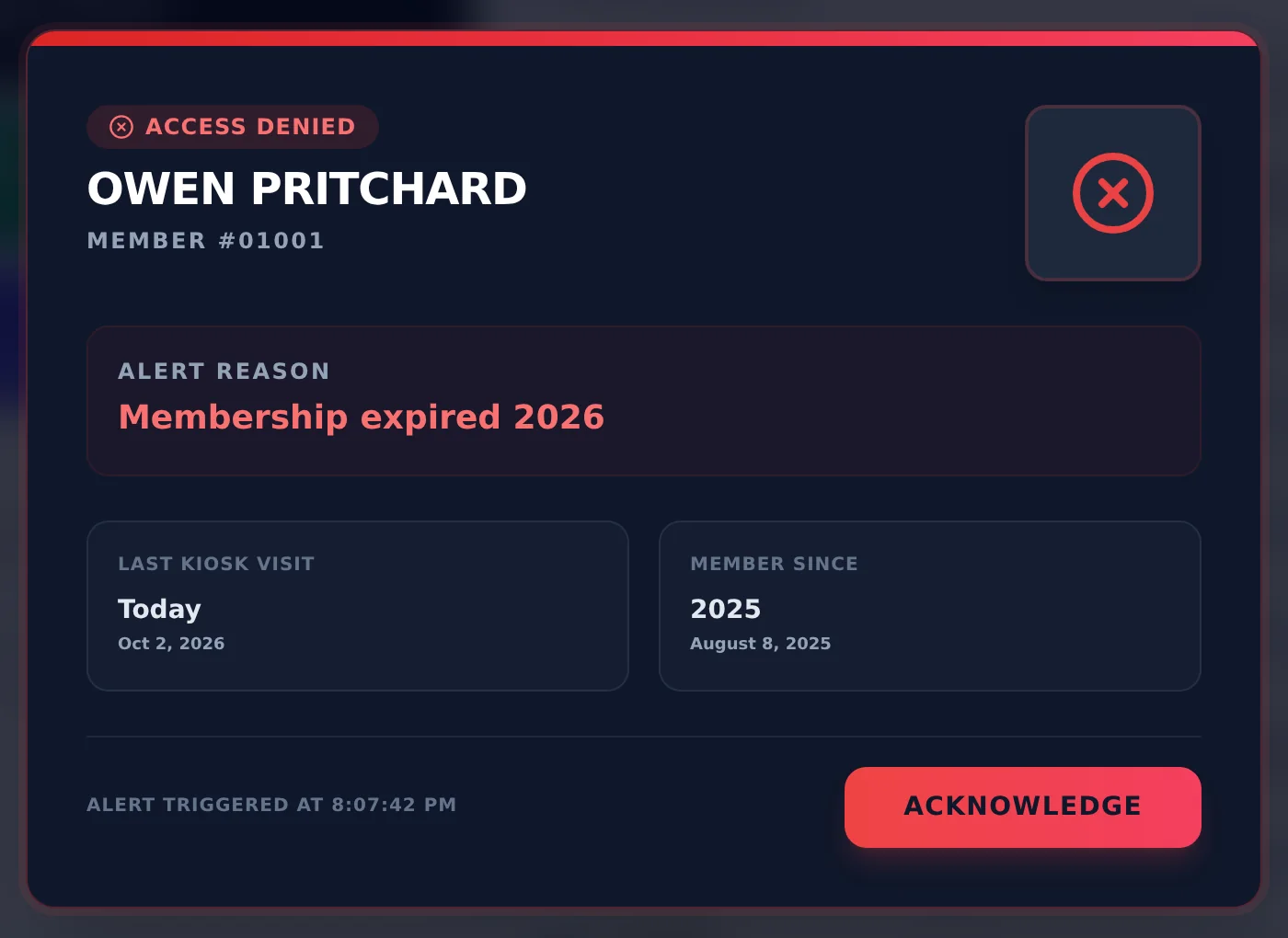
Denied check-ins and safety warnings take over every open screen until someone acknowledges them.
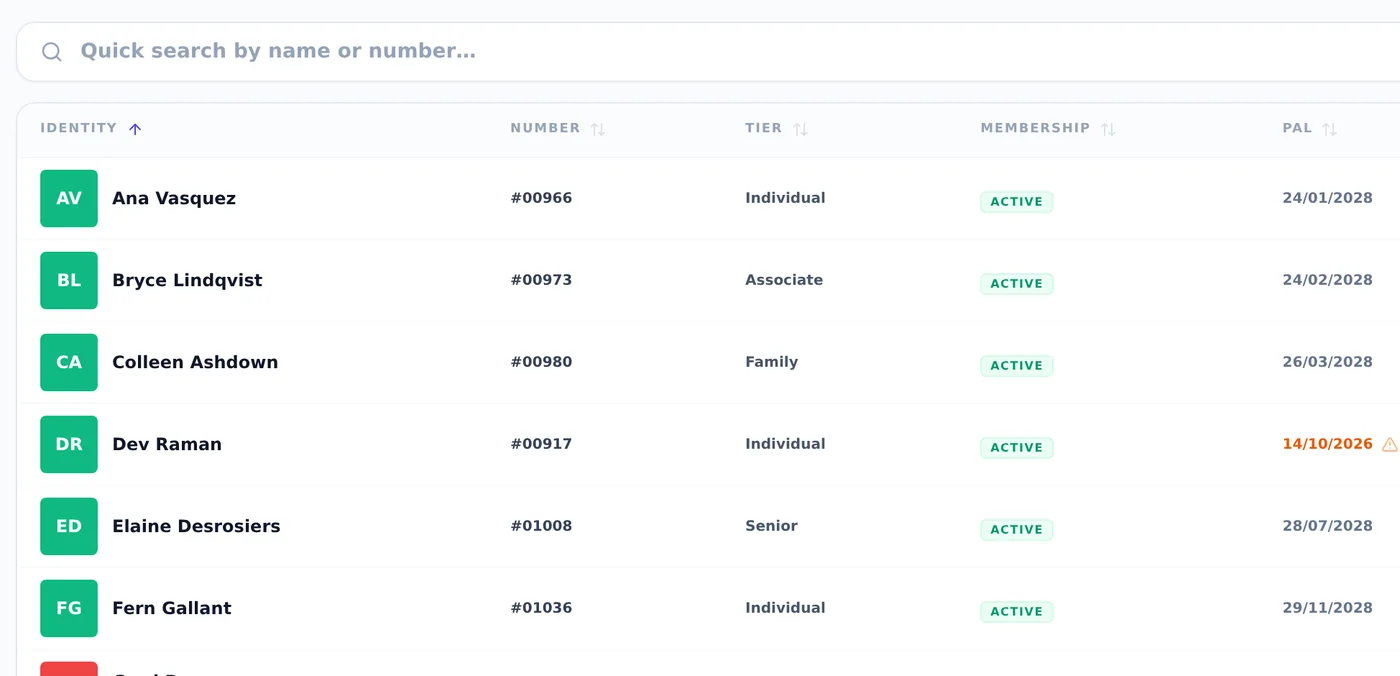
License expiration is checked wherever it's entered, flagged as it approaches, re-confirmed at every renewal, and an expired license stops a check-in.
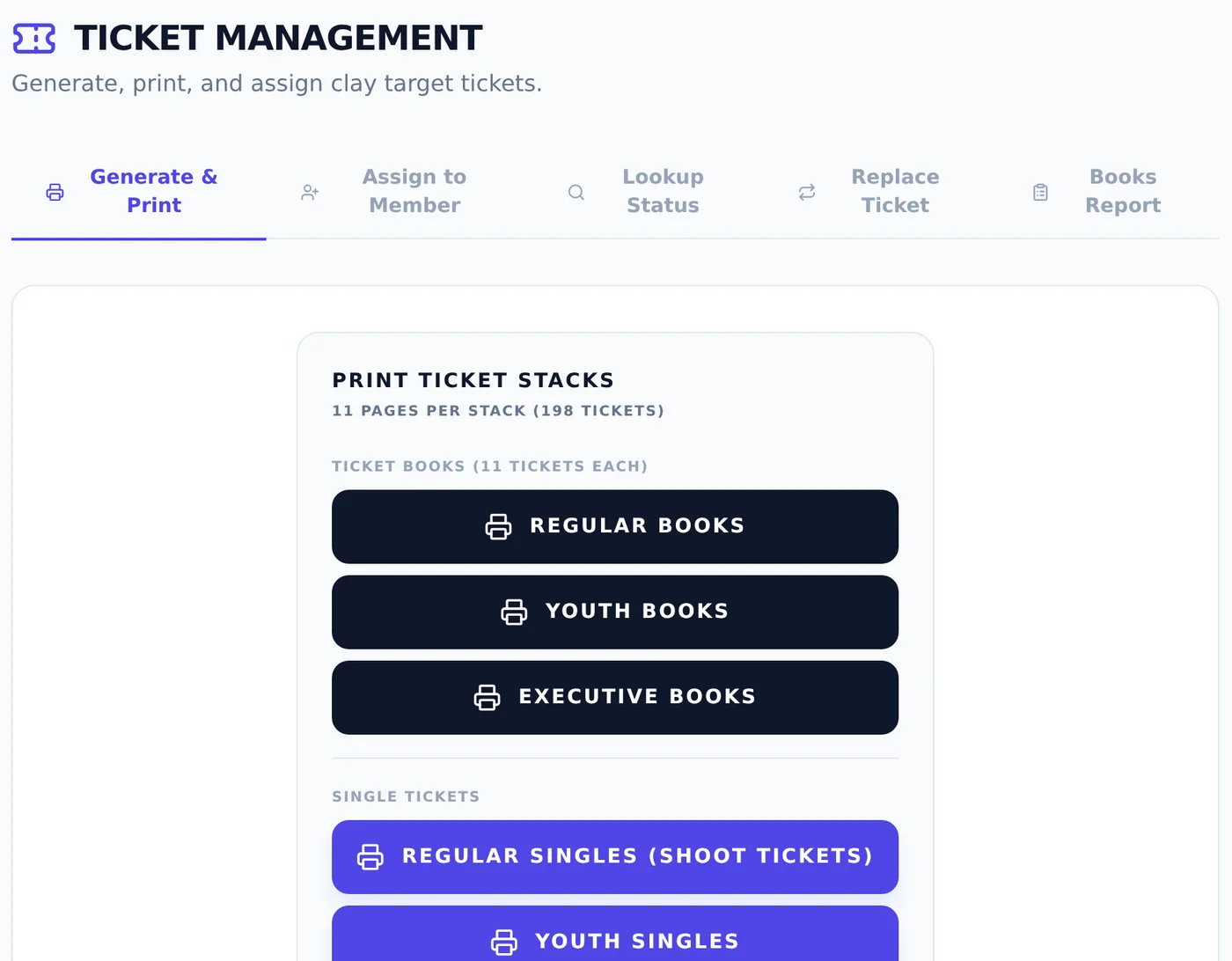
Print numbered ticket books, scan them to a member or guest, and look up who any ticket was sold to.
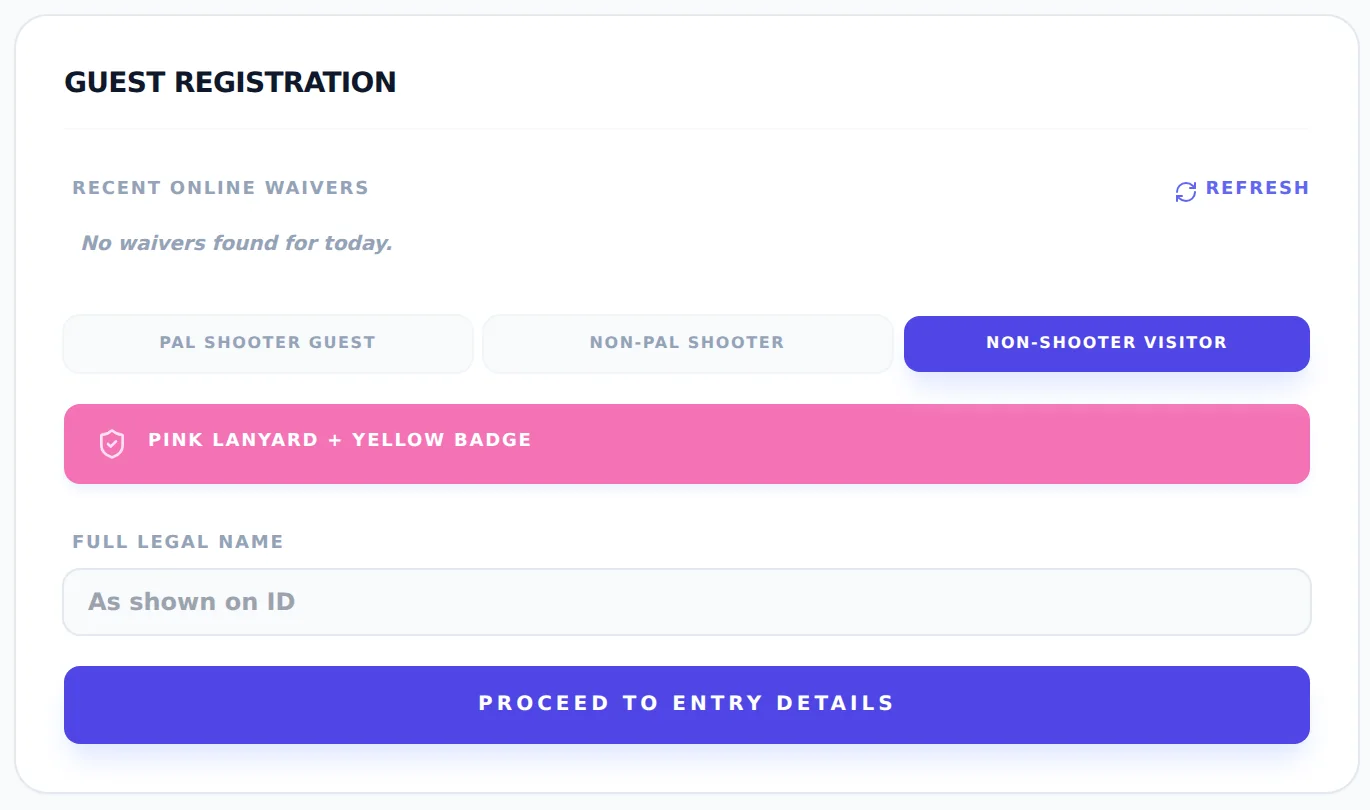
Licensed shooters, unlicensed shooters and visitors, each logged with their host member. Returning guests are remembered.
A guided renewal with a license check and an editable review step, plus prepaid guest passes on each member's balance.
Log range incidents with everyone involved, follow them to closed, and keep each member's safety courses on file.
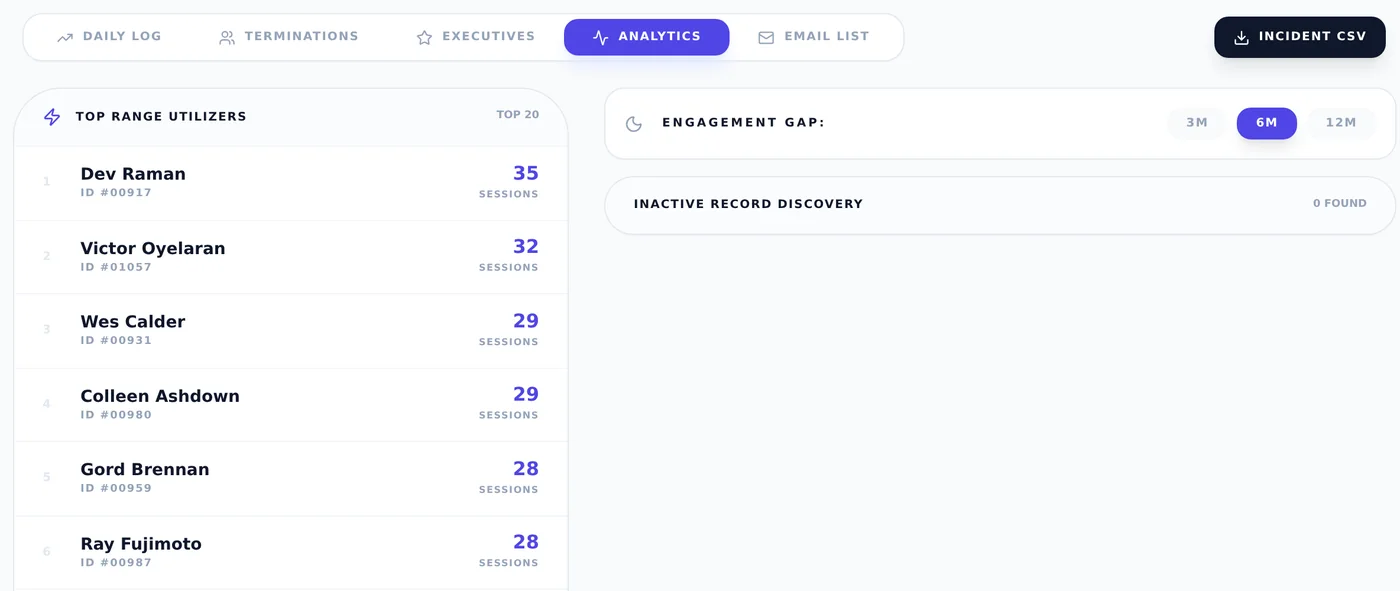
Daily log with scan times, upcoming terminations, executive directory, top users and inactive members.
Waivers signed on Google Forms sync in automatically. New members stay on hold until their signed sign-on sheet is confirmed.
One-click backups to a USB stick, network drive or Google Drive, plus CSV exports and an email list for mail-outs.
Check-in
The member card puts everything staff need to decide in one place: name, membership tier, membership and license expiration, and which lanyard to hand over.
Kiosk
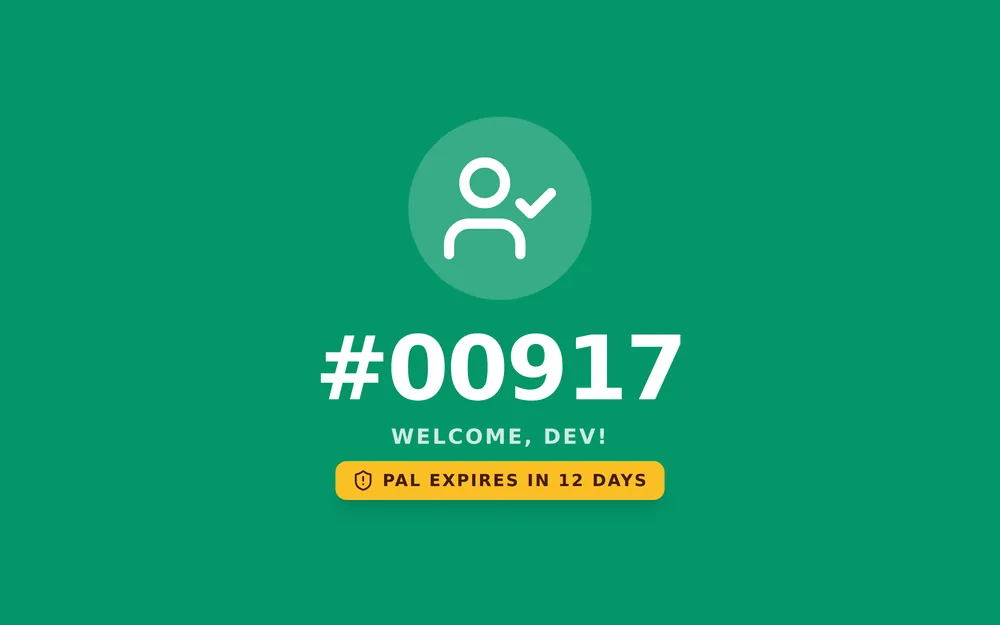
Put any spare PC or tablet by the entrance. Members scan their own card and see their number in letters you can read from across the room.
Live alerts
When a check-in is refused at the kiosk or the counter, a full-screen alert appears on every open RangeAssistant screen at the same moment. It shows who it was and why, and it stays until someone acknowledges it.
Guests
Pick the guest type and the screen tells staff which lanyard and badge to use. License numbers are captured for licensed guests, and every guest is tied to the member who brought them.
Target tickets
Your pre-printed ticket books stay the product. RangeAssistant prints them, knows who bought each one, and answers "whose ticket is this?" with a single scan.
Members & reports
A searchable directory with license expiration flagged as it approaches, and reports that answer the questions the board asks every year.
Your data, your clubhouse
RangeAssistant installs on the counter PC and serves every other screen over your local network. Member records — names, addresses, license details — never have to leave the building.
A normal setup wizard. Starts with the PC and sits in the system tray.
Creates its own certificate so every screen connects over HTTPS. Staff log in with their own accounts.
USB stick, network drive or Google Drive — on demand or every night.
Switching over
Export your members from Gym Assistant, and RangeAssistant imports them in one pass, so you can run both side by side for a week or two before switching over.
Tailored to your club
No two ranges run the same way. Your membership types, guest rules, badges and ticket books are your own, so we work with you to fit RangeAssistant to them, and keep shaping it as your club changes. RangeAssistant itself was built through rounds of feedback from a working range counter.
Over a call or a walkthrough, we learn how check-in, guests, sales and safety actually work at your range, and what your volunteers need on a busy day.
Your membership types and numbering, lanyard or badge colors, guest categories, ticket books, range rules and waivers, all in place before your first shift.
After launch, your feedback turns into updates. When your club needs something new, tell us and we'll work out the best way to add it.
How to run it
FAQ
No. The self-hosted edition runs entirely on your counter PC and local network. Internet is only used if you turn on Google Forms waiver sync or Google Drive backups.
A Windows PC for the counter, any USB barcode scanner, and your existing card or label printer. Check-in stations and kiosks only need a web browser, so a spare PC or tablet works.
The counter screens are built around a handful of big actions — check in, sell targets, day pass, renew — and an operator guide is built into the app.
Only staff with a login. Admin and staff roles are separate, every check-in records which staff member handled it, and the data lives on your own machine.
Yes, that's how we work. Membership types, numbering, lanyard and badge colors, guest categories, ticket books, range rules and waivers are set up around your club before you start, and we keep adding what clubs ask for. Tell us what's different about yours.
Check-in, guests, tickets, incidents and reports work the same on either side of the border. License checks currently follow Canada's PAL, so tell us how your state and club handle permits and we'll work with you on the fit.
Tell us how your club runs. We'll show you check-in, tickets and reports with demo data, and talk through what your range needs.
Book a demoor email hello@rangeassistant.com